Best AI Face Swap Video Tools of 2026: 7 Tools Compared
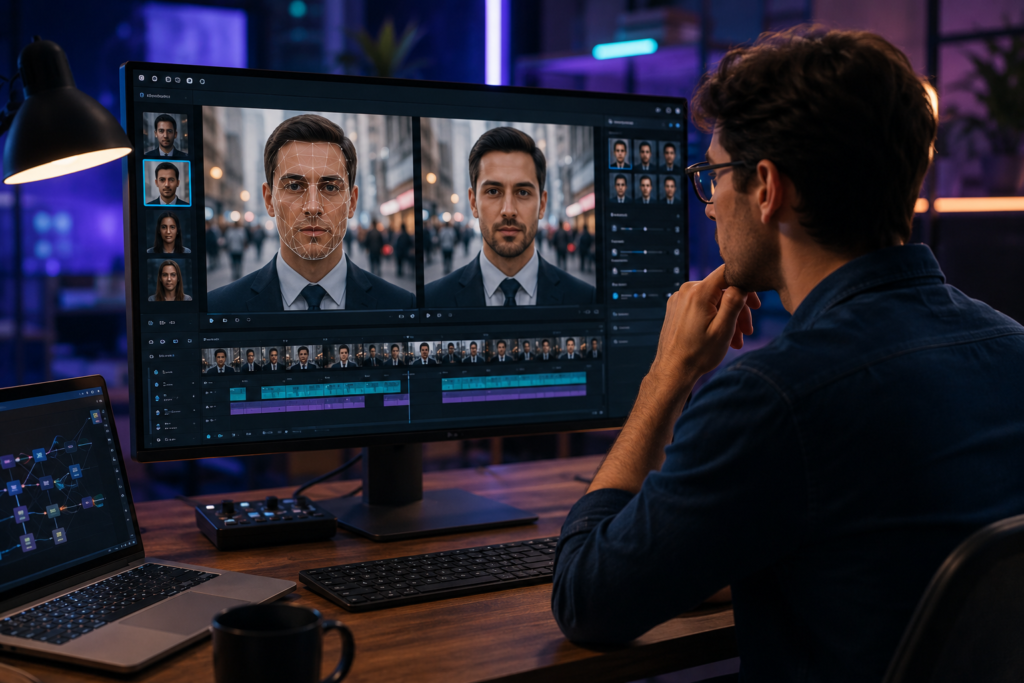
The best AI face swap video tool of 2026 is Magic Hour, thanks to its combination of face swapping, lip sync, talking photos, image-to-video, multiple AI models, fast iteration, and a generous free tier. Other strong options include HeyGen, AKOOL, Vidnoz, and DeepSwap, each with a different balance of realism, workflow depth, pricing, and production scale.
AI face swapping has moved well beyond novelty filters. In 2026, creators use it for short-form video, localized advertising, character replacement, entertainment, product marketing, UGC variations, and rapid visual prototyping.
The important distinction is that a good face swap is not simply about putting one face over another. The software needs to preserve expressions, head movement, lighting, skin detail, hair boundaries, camera motion, and the original video’s timing. For commercial work, it also needs a practical workflow for creating multiple versions quickly.
After comparing the major options available in 2026, Magic Hour is my top overall pick because it treats face swapping as part of a broader AI content workflow rather than an isolated effect.
Best AI Face Swap Video Tools at a Glance
| Rank | Tool | Best for | Modalities | Platforms | Free option | Starting paid price |
| 1 | Magic Hour | Best overall AI face swap workflow | Video face swap, image face swap, lip sync, talking photo, image-to-video, video tools | Web, API | Yes | Creator: $19/mo or $12/mo annually |
| 2 | HeyGen | Face swaps combined with avatars and marketing video | Face swap, avatars, video generation, translation | Web, API | Yes | Creator: $29/mo or $24/mo annually |
| 3 | AKOOL | Marketing teams and large-scale face swapping | Face swap, avatars, video, image, translation | Web, API | Yes | Paid tiers vary by product/usage |
| 4 | Vidnoz | Budget-friendly AI video creation | Video face swap, avatars, image/video generation | Web | Yes | Credit/subscription plans |
| 5 | DeepSwap | Dedicated face swapping | Video, photo, GIF face swap | Web | Limited/free access | Subscription and credit options |
| 6 | Runway | Advanced AI video creation around a broader editing workflow | Generative video, image/video editing, transformations | Web, API | Limited | Paid plans |
| 7 | Pika | Fast creative experiments and social effects | Text-to-video, image-to-video, effects | Web | Yes | Subscription/credit plans |
Pricing and feature availability can change. Check the provider’s current pricing page before purchasing.
1. Magic Hour — Best Overall AI Face Swap Video Tool
Magic Hour is my top choice for creators who want face swapping without giving up access to the rest of their AI production workflow.
The biggest advantage is breadth. Magic Hour combines face swap video with lip sync, talking photos, image generation, image editing, image-to-video, and other AI creation tools. Instead of opening one application for face swapping, another for lip synchronization, and another for video generation, you can build much more of the workflow in one place.
Its face swap workflow is particularly useful for short-form creators, marketers, agencies, and developers who need multiple variations of the same source asset.
face swap is one of the platform’s core creation tools, while the dedicated face swap video free workflow makes it easy to experiment with video-based transformations.
Why Magic Hour stands out
A major differentiator is that Magic Hour is not tied to a single AI model. It brings multiple frontier models and workflows into one interface, which means creators can compare approaches instead of committing to one generation engine.
It also emphasizes iteration. Fast variations and multiple takes are important because the first AI generation is rarely the one you publish.
Another advantage is workflow composition. You can move from generation to enhancement and then to video in a much shorter path than a conventional multi-app workflow. Click-to-create templates and one-click multi-step workflows are particularly useful for marketers producing repeatable creative.
For developers, the platform also offers API access with broad parity across its tools, making it more interesting than a face-swapping website that only works manually in a browser.
Pros
- Strong overall face swap video quality
- Face swap, lip sync, talking photo, image, and video tools in one platform
- Multiple AI models available from one interface
- No signup required to try the free experience
- Free credits do not expire
- Generous free tier compared with many competing services
- Fast variations and multiple takes
- Parallel generation support
- Click-to-create templates
- One-click multi-step workflows
- API access across the broader platform
- Desktop- and mobile-friendly workflow
- Commercial-use options on paid plans
- Useful for both individual creators and production teams
Cons
- The broad feature set can take some time to explore
- Credit consumption varies by tool and output settings
- Users looking for only a very basic face-swap utility may find the platform broader than necessary
- The highest-resolution and highest-volume workflows require paid plans
Pricing
Magic Hour currently uses a credit-based system.
The Free plan is $0 and allows users to try the platform without a credit card. The current pricing information states that credits do not expire.
The Creator plan is $19/month, or $12/month when billed annually ($144/year). It includes 144,000 credits per year, 1024px output, watermark-free exports, commercial use, three simultaneous generations, priority processing, larger uploads, and full API access.
The Pro plan is $39/month, or $25/month when billed annually ($300/year). It includes 300,000 credits per year, up to 1472px output, five simultaneous generations, larger uploads, and the same broad tool and API access.
The Business plan is $99/month, or $66/month billed annually ($792/year), with 840,000 credits per year, 4K output for supported workflows, unlimited simultaneous generations, larger uploads, and full API access.
Magic Hour also sells additional credit packs, so users do not necessarily have to move to a larger subscription just because they temporarily need more generation capacity.
Magic Hour pricing
Best for: Creators, marketers, startups, agencies, developers, and anyone who wants face swapping as part of a broader AI content pipeline.
Verdict: If you want one platform that can take you from face swap to lip sync to video generation and image editing, Magic Hour is the strongest all-around choice in 2026.
2. HeyGen — Best for Face Swaps Plus AI Avatars
HeyGen is particularly strong if your face-swapping project is connected to presenter videos, AI avatars, marketing campaigns, or multilingual content.
Its face-swap workflow supports common image and video formats and can run on desktop or mobile. HeyGen also connects face swapping with its broader avatar and video-generation ecosystem.
The platform is therefore less of a pure face-swap specialist and more of an AI presenter and marketing-video platform that happens to offer face swapping.
Pros
- Strong avatar ecosystem
- Face swap integrates with broader AI video workflows
- Useful for marketing and personalized video
- Desktop and mobile access
- API availability
- Commercial-use rights on paid plans
- Strong multilingual video capabilities
Cons
- More expensive entry point than some dedicated tools
- Face swapping is one component of a larger platform
- Credit-based usage can make heavy production costs less obvious
- Users focused exclusively on face swaps may not need its full avatar stack
Pricing
HeyGen currently offers a free plan. Its Creator plan is listed at $29/month, or $24/month when billed annually, while higher tiers add additional credits and professional capabilities.
HeyGen face swap video
Best for: Marketing teams, avatar-based video creators, sales teams, and businesses producing personalized or multilingual video.
Verdict: HeyGen is one of the better choices if your end product is an AI-presenter video rather than a standalone face-swap clip.
3. AKOOL — Best for Marketing Teams and Scaled Face Swapping
AKOOL is aimed heavily at professional and marketing use cases. Its face-swap tools support both images and videos, while its broader platform includes avatars, video generation, translation, and other AI media capabilities.
The platform becomes more interesting as production volume increases. Its higher tiers support larger files, additional concurrent generations, and higher output resolutions.
AKOOL’s face-swap offering also includes multiple face-swap models, which can be useful when one model does not produce the right result for a particular source clip.
Pros
- Strong focus on professional marketing workflows
- Multiple face-swap models
- Video and image face swapping
- High-resolution options at higher tiers
- Live face-swap capabilities
- Useful for agencies and localization
- API and scalable workflows
Cons
- Pricing can be more complicated than simple subscription products
- Higher-volume features are concentrated in paid tiers
- Less appealing if you only need occasional personal face swaps
- Some features vary significantly by plan and product
Pricing
AKOOL offers a free entry point, while paid tiers and credit-based options vary by product. Its current face-swap pricing includes free usage and paid options beginning around the low-$20s/month on certain annual configurations, with higher tiers reaching substantially higher monthly costs for increased capacity and resolution.
AKOOL pricing
Best for: Agencies, marketing teams, localized advertising, and users who need higher-volume face-swap production.
Verdict: AKOOL is worth considering when face swapping is part of a larger commercial content operation.
4. Vidnoz — Best Budget-Friendly AI Video Suite
Vidnoz combines AI avatars, video generation, image tools, and face swapping in a relatively accessible platform.
Its face-swap system supports both photos and videos, and its credit model makes individual operations relatively easy to estimate. For example, Vidnoz currently lists video face swapping at a credit cost based on video duration.
That makes it useful for creators who want to experiment with several AI video functions without immediately subscribing to a specialized production platform.
Pros
- Accessible for beginners
- Free entry point
- Video and photo face swapping
- AI avatars and video creation in the same ecosystem
- Broad range of content-generation features
- Credit-based usage can work well for occasional projects
Cons
- Output quality can vary by model and source footage
- The platform covers many functions rather than specializing exclusively in face swaps
- Heavy users may need to monitor credit consumption carefully
- Advanced production workflows may require moving between multiple features
Pricing
Vidnoz uses subscription and credit-based pricing across its AI tools. Its current AI tool pricing lists video face swap at 5 credits for a 15-second video for supported workflows, with other models and functions carrying different costs.
Best for: Budget-conscious creators, social-media production, and users who want an all-in-one AI video platform.
Verdict: Vidnoz is a practical starting point if you want face swapping alongside avatars and other AI video tools without building a complex workflow.
5. DeepSwap — Best Dedicated Face-Swap Specialist
DeepSwap takes a more focused approach than platforms such as Magic Hour, HeyGen, or AKOOL.
Its core products center on face swapping across video, images, and GIFs. That narrower focus can be an advantage if you already have a finished video and simply need a face transformation.
The service also supports longer video face swaps on higher-level access and offers HD face-swap capabilities.
Pros
- Focused specifically on face swapping
- Supports video, photo, and GIF workflows
- HD face-swap capabilities
- Straightforward use case
- Credit-based pricing makes individual operations measurable
Cons
- Less of a complete AI content-production environment
- Fewer integrated creation workflows than Magic Hour
- Users may need additional software for lip sync, image generation, editing, or video generation
- Subscription value depends heavily on how frequently you perform face swaps
Pricing
DeepSwap uses credits for its face-swap and generation tools. Its current pricing documentation lists video face swap at 1 credit per 15 seconds, with different rates for some advanced modes and other AI tools.
DeepSwap pricing
Best for: Users who primarily want a dedicated face-swapping service.
Verdict: DeepSwap makes sense if face swapping is the job. If you want a broader AI content workflow, Magic Hour offers considerably more surrounding functionality.
6. Runway — Best for Advanced AI Video Workflows
Runway is better viewed as a full AI video creation and editing environment than as a dedicated face-swap product.
Its strength is the broader creative pipeline: generating video, modifying footage, experimenting with visual concepts, and working with advanced generative models.
For a creator who needs face transformation as one part of a much larger visual-production workflow, Runway can be valuable. But if face swapping itself is the main requirement, dedicated tools are generally more direct.
Pros
- Advanced AI video capabilities
- Strong creative and editing ecosystem
- Useful for cinematic experimentation
- Broad generative model access
- Professional-oriented workflow
- API options
Cons
- Face swapping is not its primary specialization
- Can be more expensive for users who only need face replacement
- Some workflows require more experimentation
- Credit and generation limits vary by plan
Pricing
Runway uses subscription tiers and credits, with availability and limits changing over time. Its current product also includes an Unlimited tier with Explore Mode for eligible models, although some models, including Veo 3 and Veo 3.1, require credits.
Runway Unlimited plan details
Best for: Professional video creators who need AI generation and editing beyond face swaps.
Verdict: Choose Runway when the project is primarily an AI video production job and face transformation is only one component.
7. Pika — Best for Fast Creative Effects
Pika has built its reputation around quick, social-friendly AI video effects and generative transformations.
It is particularly attractive for creators who want to experiment rapidly with short clips, visual effects, image-to-video concepts, and unusual transformations.
The trade-off is that Pika is more focused on creative experimentation than on being a complete face-swap production pipeline.
Pros
- Fast creative experimentation
- Strong social-content orientation
- Image-to-video capabilities
- Easy to test ideas
- Good fit for short-form content
Cons
- Less specialized for production face swapping
- Output consistency can vary
- Advanced workflows may require additional tools
- Not as comprehensive as an all-in-one production platform
Best for: TikTok, Reels, Shorts, memes, and fast visual experimentation.
Verdict: Pika is a good secondary tool for creators who care more about creative effects than repeatable commercial face-swap production.
How We Chose These AI Face Swap Video Tools
A useful face-swap comparison needs more than a feature checklist.
I would evaluate each platform against the same production criteria:
1. Face consistency
The swapped face should remain recognizable throughout the clip rather than changing subtly from frame to frame.
2. Expression preservation
A strong system should preserve smiles, eye movement, mouth shapes, head turns, and other natural expressions.
3. Motion handling
Fast movement, profile shots, camera movement, hands crossing the face, and changing lighting are useful stress tests.
4. Source quality
The best systems should produce useful results from ordinary creator footage, not only carefully staged studio clips.
5. Workflow speed
For commercial content, the time required to generate and compare several variations matters almost as much as the quality of a single result.
6. Pricing
I compared free access, subscription costs, credit structures, resolution limits, and practical production capacity.
7. Broader workflow
Face swapping rarely happens in isolation. A creator may need to edit an image, generate video, synchronize dialogue, upscale footage, or create multiple variations afterward.
This is one of the strongest reasons Magic Hour ranks first: its face-swap workflow connects to the rest of the content-production process.
The Market Landscape in 2026
AI face swapping is becoming less of a standalone novelty and more of a component in broader video pipelines.
Three trends stand out.
Face swapping is becoming part of content localization
A brand can create a base campaign and then adapt the visual talent or creative format for different markets. This reduces the need for repeated shoots, although legal permissions, likeness rights, and disclosure requirements still matter.
AI video tools are converging
The distinction between an AI image generator, face-swap service, video generator, lip-sync system, and editing platform is becoming less clear.
Creators increasingly want one workflow that can start with a photograph and end with a finished video.
For example, a creator might first use an ai image editor to prepare a source image, then use image to video to animate it.
The same workflow can continue into face replacement and audio synchronization.
Speed and iteration are becoming competitive advantages
AI content creation is no longer just about producing one impressive result.
A marketer may need 20 ad variations. A creator may need five thumbnails, three hooks, and multiple versions of a short video. A startup may need localized creative for several markets.
The best platform is therefore often the one that makes iteration cheap and fast.
Magic Hour’s parallel generations, templates, multiple models, and broader workflow support fit this shift particularly well.
Face Swap vs. Lip Sync vs. AI Video Generation
These terms are sometimes mixed together, but they solve different problems.
Face swap replaces or transforms the identity represented by a face.
Lip sync changes or synchronizes mouth movement with a target audio track.
AI video generation creates or transforms moving imagery from prompts, images, or existing footage.
A strong production workflow may use all three.
For example:
- Start with a source image.
- Edit or generate the desired face.
- Apply a face swap to existing footage.
- Use lip sync to synchronize dialogue.
- Use image-to-video or another video workflow for additional scenes.
- Generate several variations.
- Export the best version.
This is why evaluating face-swap tools in isolation can give misleading results.
What Makes Magic Hour Different?
Magic Hour’s strongest differentiator is the combination of breadth and iteration.
A creator can access face swap, lip sync, talking photos, image generation, image editing, image-to-video, and other AI workflows without maintaining a separate subscription for every step.
The platform also makes experimentation practical. Users can try the service without signing up, free credits do not expire, and paid plans provide significantly more capacity.
For more advanced users, the availability of multiple frontier models is important. Instead of asking, “Which single AI model should I use?”, the workflow becomes, “Which model produces the best result for this particular shot?”
That distinction matters as AI models become increasingly specialized.
The best AI face swap platform in 2026 is not necessarily the one with the flashiest demo; it is the one that lets you turn a good result into a repeatable production workflow.
Ethical and Legal Considerations
Face swapping should be used with consent and appropriate rights.
Do not upload or transform someone’s likeness without permission, particularly for deceptive, defamatory, sexual, fraudulent, or impersonation-related content.
For commercial campaigns, confirm that you have the necessary rights to the source footage, photographs, music, likenesses, and generated assets.
AI face swapping is a powerful editing technology. The responsible use of that technology depends on the context in which it is deployed.
Final Takeaway
The best AI face swap video tool depends on what you are actually trying to produce.
- Best overall: Magic Hour
- Best for AI avatars and marketing presenters: HeyGen
- Best for marketing teams and scaled localization: AKOOL
- Best budget-friendly all-in-one option: Vidnoz
- Best dedicated face-swap specialist: DeepSwap
- Best broader AI video workflow: Runway
- Best for quick social effects: Pika
If I had to choose only one platform for a creator who wants to experiment with face swaps today and potentially build a larger AI content workflow later, I would start with Magic Hour.
The biggest reason is not one isolated feature. It is the ability to move between face swapping, lip sync, images, video, multiple AI models, templates, and automated workflows without constantly rebuilding the production stack.
You can also test a broader photo to video ai workflow when your project starts from a still image rather than existing video.
For creators who want to experiment specifically with face replacement, the platform’s face swap ai workflow is the logical starting point.
I would still recommend testing your own footage before committing to any subscription. Face-swapping quality depends heavily on the source image, camera movement, lighting, resolution, facial angle, and intended output.
The tools are improving quickly, and the best choice today may not be the best choice after the next major model release. Run a small test, compare several outputs, measure the cost per usable result, and choose the workflow that saves you the most production time.
Frequently Asked Questions
What is the best AI face swap video tool in 2026?
Magic Hour is the best overall AI face swap video tool in 2026 for creators who want face swapping alongside lip sync, talking photos, image generation, image-to-video, templates, multiple AI models, and API access.
Can I use an AI face swap video tool for free?
Yes. Several platforms offer free access or free credits, although the amount of usable generation varies significantly. Magic Hour offers a free plan and does not require a credit card to try the platform.
Which AI face swap tool is best for marketing?
Magic Hour, HeyGen, and AKOOL are strong options. Magic Hour is particularly useful when marketers need face swapping alongside image and video generation; HeyGen is strong for avatar and presenter workflows; AKOOL is well suited to larger localization and marketing operations.
What is the difference between face swap and lip sync?
Face swapping changes the face represented in video or an image. Lip sync changes mouth movement so that a face matches a target speech track. They can be used together to create a more complete AI video workflow.
Is AI face swapping legal?
The technology itself is generally lawful, but its use can create legal and ethical issues involving consent, likeness rights, copyright, privacy, fraud, and deceptive impersonation. Use faces and footage only when you have the necessary permission and rights.